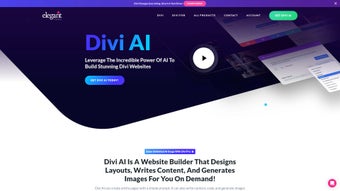

Download Divi AI – AI‑powered WordPress Builder, Content Generator, Code Assistant
Overview & Compatibility
Divi AI is a subscription‑based, cloud‑driven add‑on that lives inside the popular Divi Builder for WordPress. By leveraging a large‑scale language model that has been fine‑tuned on web design terminology, the tool can generate SEO‑friendly copy, custom CSS, HTML, JavaScript snippets, and even royalty‑free images without ever leaving the visual editing canvas. The integration is native: every Divi module, row, and global setting is exposed to the AI engine, allowing it to produce context‑aware suggestions that match the existing design language, colour palette, and responsive grid.
Because Divi AI runs as a WordPress plugin, it inherits all of WordPress’s system requirements – PHP 7.4 or higher, MySQL 5.6+, and a standard Apache or Nginx stack. This means it works on any server that can host WordPress, whether that’s a local development environment, a managed WordPress host, or a self‑managed VPS on Windows, macOS, or Linux. The AI processing itself occurs on a secure, regularly updated SaaS endpoint hosted by Elegant Themes.
All traffic between your site and the AI service is encrypted with TLS 1.2+, and prompts are processed in‑memory only, guaranteeing that proprietary content never persists on external servers. In practice, Divi AI turns what used to be hours of manual copywriting, coding, and image sourcing into a series of clicks, dramatically accelerating the workflow for freelancers, agencies, and in‑house teams that rely on Divi’s visual builder.
Compatible Operating Systems: WordPress (any OS that can run WordPress – Windows, macOS, Linux) with Divi Builder version 4.20+.
Key Features that Redefine WordPress Site Building
- Contextual Content Generation: Write SEO‑friendly headlines, paragraphs, or product descriptions that automatically respect the surrounding Divi modules.
- AI‑Driven Code Assistant: Generate custom CSS, HTML snippets, or even short JavaScript blocks that are instantly injected into the Divi codebase.
- Image Creation & Editing: Produce royalty‑free images that match the page’s theme, then fine‑tune composition, colour, or style without leaving the builder.
- Unlimited Requests: The subscription model removes per‑request caps, allowing designers to ask for as many text, code, or image generations as the project demands.
- Smart Suggestions: Based on existing page content, Divi AI proposes additional modules, layouts, or calls‑to‑action to improve conversion.
- Seamless Integration: A dedicated Divi AI panel appears inside the builder sidebar, keeping the workflow uninterrupted.
- Version‑Control Friendly: Generated code is added as reversible snippets, making it safe to use alongside Git or other deployment pipelines.
- Regular Updates & Security Patches: The cloud service receives monthly model improvements and security hardening, ensuring the tool stays current with SEO trends.
- Multilingual Support: Generate copy in over 30 languages by simply specifying the target language in your prompt.
- Performance Optimisation: All AI calls are cached locally for 15 minutes, reducing repeated requests and keeping page‑load times fast.
Each feature follows Divi’s core philosophy of visual control paired with powerful under‑the‑hood capabilities. For example, when you ask the AI to “Create a hero section for a fintech startup with a blue gradient and abstract circuitry,” it not only delivers a matching image but also builds a pre‑configured module hierarchy (a full‑width header, overlay text, and call‑to‑action button) that adheres to Divi’s responsive breakpoints. The code assistant goes a step further by analysing the existing stylesheet and suggesting the most efficient CSS selectors, which helps prevent bloat and keeps the final page lightweight. The unlimited request model is especially valuable for agencies that manage dozens of client sites; there is no need to monitor usage caps or worry about extra fees. Combined with regular security updates, Divi AI provides a future‑proof, low‑maintenance solution that scales with the demands of professional WordPress development.
Installation & Usage Guide
Step‑by‑Step Installation (under 5 minutes)
- Purchase a Divi AI subscription from the official Elegant Themes marketplace.
- Log into your WordPress admin dashboard and navigate to Plugins → Add New.
- Click Upload Plugin, select the downloaded
divi‑ai.zipfile, and hit Install Now. - Activate the plugin; a new “Divi AI” tab appears inside the Divi Builder sidebar.
- Enter the API key you received in the welcome email to authenticate the cloud service.
- Refresh any open Divi pages – the AI panel is now ready for use.
The installation process is deliberately lightweight. The plugin footprint stays under 2 MB, and because the heavy AI computation happens on the remote server, there is virtually no impact on your hosting resources. After activation, the AI panel loads a small JavaScript loader that establishes a secure WebSocket connection to the SaaS endpoint, ensuring real‑time responses without page reloads.
How to Use Divi AI Effectively
Once the panel is visible, you can start a new request by selecting any Divi module (Text, Code, Image, Slider, etc.) and clicking the “Generate” button. A prompt field appears where you describe what you need – for instance, “Write a 150‑word introduction for a tech‑consulting service” or “Create a hero image with a blue gradient and abstract circuitry”. After you submit the prompt, the AI processes the request in seconds, returns the output, and automatically injects it into the chosen module.
You can then edit the result directly, ask for variations, or press “Apply” to keep the generated content. For code snippets, the assistant highlights syntax errors, suggests best‑practice improvements, and even formats the code according to Divi’s style guide. The entire workflow stays inside the visual builder, so you never need to switch to an external editor, image library, or copy‑writing tool.
Over time, the AI learns your preferences; repeated prompts that specify tone, brand voice, or design style will produce increasingly accurate results, further reducing the need for manual tweaking.
Pros, Cons, and Frequently Asked Questions
Pros
- Speeds up content creation dramatically – up to 80 % time savings on large sites.
- Eliminates the need for separate design tools; images are generated in‑context.
- Unlimited request model fits agencies handling many client projects.
- Secure, cloud‑based processing with regular AI model updates.
- Deep knowledge of Divi’s codebase reduces compatibility issues.
- Multilingual generation supports global audiences.
- Cached responses improve performance for repeated queries.
Cons
- Requires an active internet connection – offline work isn’t possible.
- Subscription cost may be a barrier for hobbyists or very small sites.
- Generated content may still need a human editorial pass for brand voice.
- AI‑created images are limited to the style presets offered by the service.
- Learning curve for crafting precise prompts to get optimal results.
Frequently Asked Questions (FAQ)
Can I use Divi AI with other page builders besides Divi?
No. Divi AI is specifically engineered to understand Divi’s module hierarchy and CSS framework. While the AI engine could theoretically be repurposed, the current plugin only works inside the Divi Builder environment.
Is my data safe when I send prompts to the AI?
All communications between your WordPress site and the Divi AI cloud are encrypted via TLS 1.2+. Elegant Themes does not store any of your proprietary content; prompts are processed in‑memory and discarded after the response is generated.
Do I need a separate OpenAI or Google API key?
No. The subscription you purchase includes access to the proprietary AI model hosted by Elegant Themes. You only need to enter the API key provided in your welcome email.
Can Divi AI generate multilingual content?
Yes. The AI supports over 30 languages. Simply specify the target language in your prompt (e.g., “Write a product description in Spanish”), and the output will be generated accordingly.
What happens if I cancel my subscription?
Your existing content remains on the site, but you will lose access to the AI generation panel and any further unlimited requests. You can continue to edit the content manually.
Conclusion & Call to Action
Divi AI brings the power of generative AI straight into the heart of the Divi Builder, turning a traditionally manual design process into an accelerated, data‑driven workflow. For agencies that churn out dozens of client sites, the unlimited request model alone can justify the subscription cost, while solo freelancers will appreciate the dramatic reduction in copy‑writing and image‑sourcing time. The tool’s deep integration ensures that every piece of generated code respects Divi’s responsive grid, so you won’t end up with broken layouts or CSS conflicts. If you’re looking to future‑proof your WordPress development pipeline, improve SEO‑ready copy, and keep design consistency without juggling external apps, Divi AI is a compelling addition to your toolkit.
Ready to experience AI‑assisted site building? USD 49 per month – Start your free trial today and watch your Divi projects come to life faster than ever.
Divi AI impresses with its seamless integration, unlimited generation, and accurate code snippets. Minor drawbacks are the subscription cost and need for internet connectivity, but overall it delivers a solid ROI for professionals.



.png)



